Eternal Pro can let your clients import their bank, brokerage and retirement account information instead of typing it in. It is turned off by default, and your firm decides whether clients see it.
Why turn it on
- Easier, faster intake. Clients pick their bank, sign in through a secure window, and choose which accounts to add. Account names and balances go straight into their inventory.
- Balances that stay current. Imported accounts update their balances automatically once a day, so the estate inventory reflects today's values, not the day of intake.
- Fewer typos. Names and balances come straight from the institution.
Why it is safe
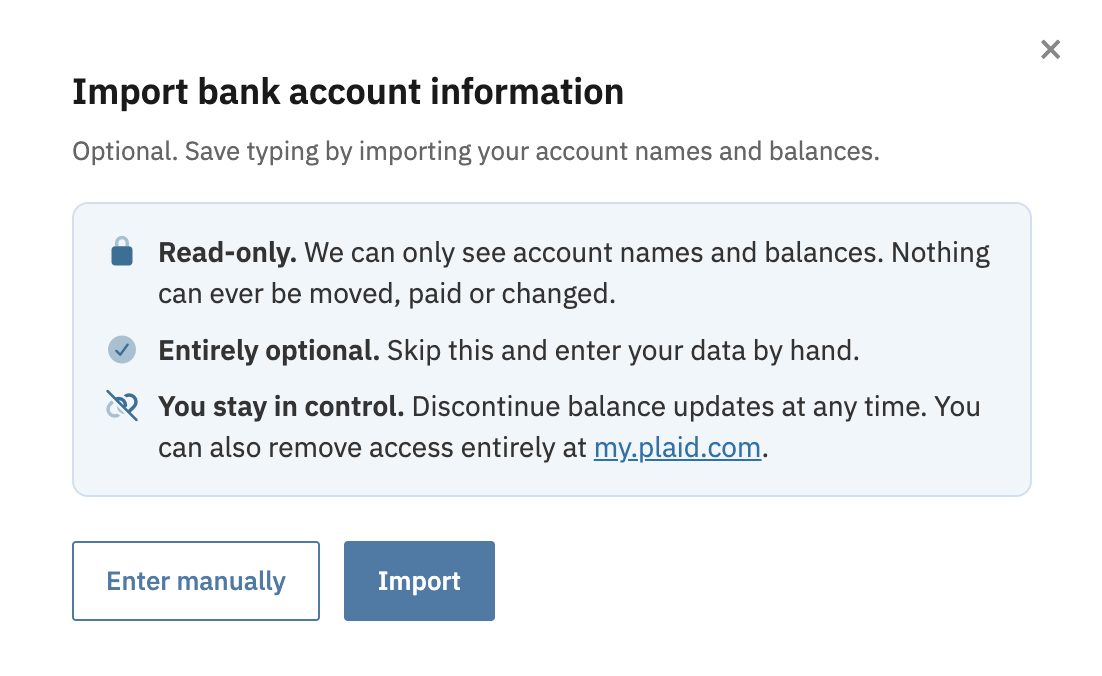
- Read-only. The import can only see account names and balances. Nothing can ever be moved, paid or changed.
- Handled by Plaid. Clients sign in to their bank through Plaid, the service used by thousands of financial apps. Eternal Pro never sees or stores their bank login.
- Encrypted. The access Plaid grants is stored encrypted on Eternal Me's servers and is never sent to your firm or the client's browser.
- Optional and reversible. Clients can skip it and enter everything by hand, discontinue balance updates at any time, and remove access entirely at my.plaid.com.
How to turn it on or off
- From your firm Dashboard, open Settings.
- In Client Settings, find Disable ability for clients to import bank account information.
- Untick it to let clients import accounts, or tick it to hide the option. Save.
The change applies to all of your clients straight away.
How your clients use it
- During intake: on the Financial Accounts page of the questionnaire, clients are offered Import bank account information. They can choose Import or Enter manually, and reopen it later from the link on that page.
- Afterwards: under Inventory › Imported Accounts clients see the accounts they imported, add more with Import More Accounts, and can discontinue balance updates for any account.
Bank account import is available for most U.S. financial institutions.
 How to import clients from MyCase using a webhook ?
 How to enable automatic sync to Lawmatics?
 How to sync client intake data to Lawcus?


 united states
