How do I save or print my Emergency Card?

You can easily save or print Emergency Card:

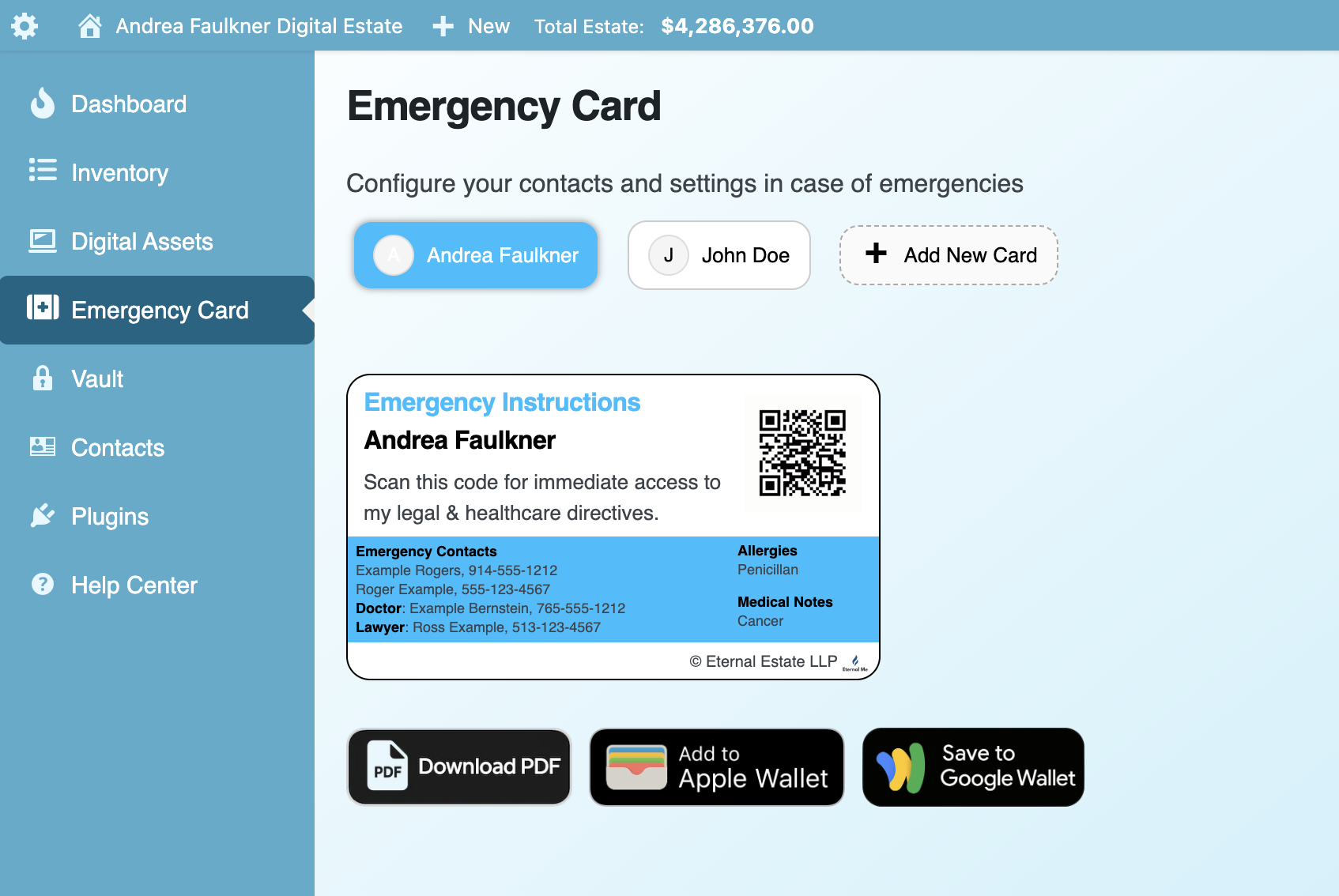
  1. Login to your Dashboard
  2. Click Emergency Card in the left navigation
  3. Click the Download PDF button
  4. The card will save the file, which you can then print
  5. You can also click the buttons to Add to Apple Wallet or Save to Google Wallet
 

  • emergency card
Was this answer helpful?

Related Articles

How do I add legal and healthcare directives to access with my Emergency Card?

The Emergency Card allows you to save your important legal and healthcare directives, and other important information, to be accessible in the event of an emergency either...

How do I manage the emergency contacts on my Emergency Card?

To add, change, or remove your Emergency Contacts on your Emergency Card: Login to your Dashboard Click Emergency Card Scroll to the Emergency Contacts section To add...

What is the Emergency Card?

The Emergency Card is a printable, business-card sized document that is meant to provide quick access to your important information in the event of an emergency. By scanning...

Powered by WHMCompleteSolution